
Bring Scheduling
to AutoGen
Create your Vinkius account to connect Cal.com to AutoGen and start using all 10 AI tools in minutes. Fully managed, enterprise secure, and ready to use without writing a single line of code. No hosting, no server setup — just connect and start using.
 GDPR Free for Subscribers
Compatible with every major AI agent and IDE
 Gemini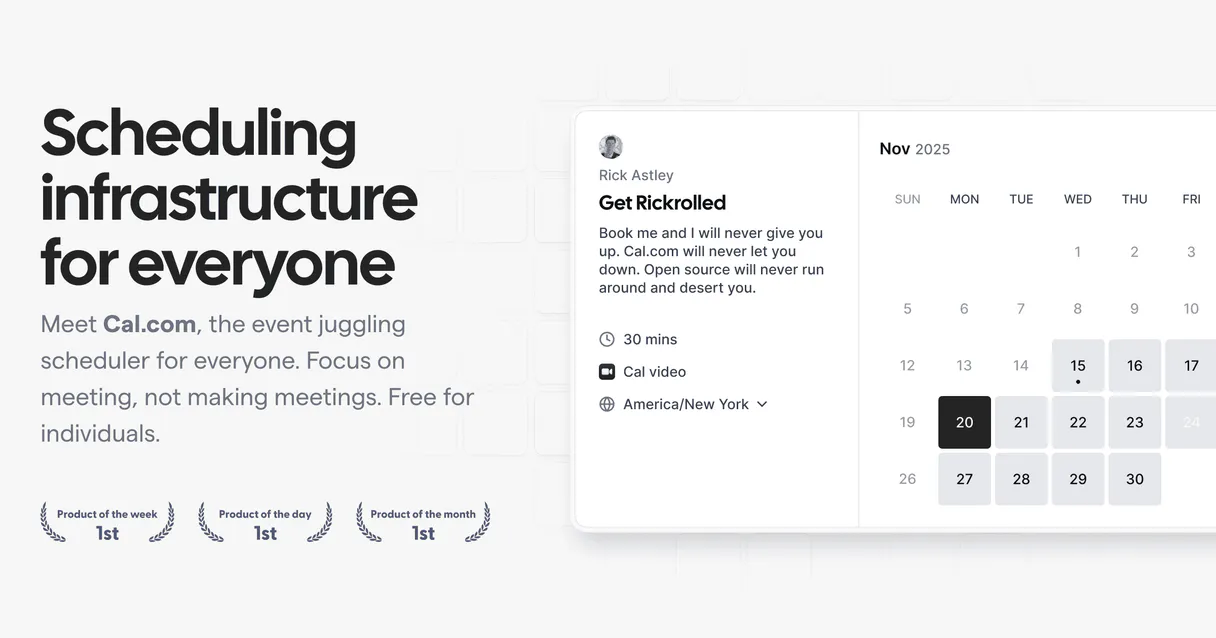
What is the Cal.com MCP Server?
Connect your open-source Cal.com scheduling framework into your favorite AI agent and completely bypass manual calendar navigation via natural conversation setups.
What you can do
- Deep Log Exploration — Inspect vast lists of all present calendar events routing the actual statuses, attendances, and internal system IDs explicitly
- Frictionless Booking — Schedule, instantly cancel, or reschedule target meetings seamlessly without switching your terminal or current tab scopes
- Event Templates — Scan and retrieve standard master formats fetching detailed URLs bypassing convoluted user search procedures in normal web browsers
- Availability Mapping — Audit raw schedule scopes confirming when your organization has free specific windows directly querying origin databases
How it works
- Subscribe to this server module
- Enter your Personal Cal.com API key token natively gathered from system logs
- Start fetching high-grade scheduling content straight into Claude, Cursor, or any MCP-compatible smart interface
No more context-switching between tools dragging your windows around visually searching to map people's schedules up properly. Your AI agent manages events natively connecting pure arrays directly.
Who is this for?
- Sales Development Reps — scan all active demo bookings dynamically right from inside their editor prior sending an explicit rescheduler parameter off internally to systems centrally
- Technical Founders — verify overlapping schedules checking their available intervals smoothly using terminal code without jumping into web UIs across multiple calls to teams daily
- Project Managers — map custom internal event classes ensuring the main link works properly directly within organizational communication lines easily securely natively correctly universally immediately efficiently natively
Built-in capabilities (10)
com destruction schemas firing integrated Email notifications alerting both the Organizer and external Guests appending the contextual reason. Cancel an existing Cal.com booking via secure UID matching freeing timeslots
Auto-generates conferencing URLs where default. Programmatically create a new booking on Cal.com seamlessly capturing host slots
Retrieve the exact array bounds verifying free temporal spans per mapped event types
Retrieve full details of a specific Cal.com booking by its UID
Extract detailed configuration parsing a specific Cal.com native event boundary
Get the authenticated Cal.com user profile including name, email, timezone, default schedule, avatar, and organization info
Standardizes attendee listings, temporal slots, statuses ("accepted" [confirmed], "pending", "cancelled", "rejected"), and spatial links. List all Cal.com bookings with optional status filter
Enumerate explicitly attached structured scheduling types mapping active formats
Locate physical scheduling origin rules managed natively bounding work times
Modifies host structures triggering email templates updating guest links securely. Reschedule an existing Cal.com booking mapping to an explicit new temporal block
Why AutoGen?
AutoGen enables multi-agent conversations where agents negotiate, delegate, and collaboratively use Cal.com tools. Connect 10 tools through Vinkius and assign role-based access. a data analyst queries while a reviewer validates, with optional human-in-the-loop approval for sensitive operations.
- —
Multi-agent conversations: multiple AutoGen agents discuss, delegate, and collaboratively use Cal.com tools to solve complex tasks
- —
Role-based architecture lets you assign Cal.com tool access to specific agents. a data analyst queries while a reviewer validates
- —
Human-in-the-loop support: agents can pause for human approval before executing sensitive Cal.com tool calls
- —
Code execution sandbox: AutoGen agents can write and run code that processes Cal.com tool responses in an isolated environment
Cal.com in AutoGen
Why run Cal.com with Vinkius?
The Cal.com connection runs on our fully managed, secure cloud infrastructure. We handle the hosting, maintenance, and security so you don't have to deal with servers or code. All 10 tools are ready to work instantly without any complex setup.
You stay in complete control of your data. Your AI only accesses the information you approve, keeping your sensitive passwords and private details completely safe. Plus, with automatic optimizations, your AI works faster and more efficiently.
* Every connection is hosted and maintained by Vinkius. We handle the security, updates, and infrastructure so you don't have to write code or manage servers. See our infrastructure
Over 4,000 integrations ready for AI agents
Explore a vast library of pre-built integrations, optimized and ready to deploy.
Connect securely in under 30 seconds
Generate tokens to authenticate and link external services in a single step.
Complete visibility into every agent action
Audit live requests, latency, success rates, and active security compliance policies.
Optimize spending and track token ROI
Analyze real-time token consumption and cost metrics detailed by connection.




Explore our live AI Agents Analytics dashboard to see it all working
This dashboard is included when you connect Cal.com using Vinkius. You will never be left in the dark about what your AI agents are doing with your tools.
Cal.com and 4,000+ other AI tools. No hosting, no code, ready to use.
Professionals who connect Cal.com to AutoGen through Vinkius don't need to write code, manage servers, or worry about security. Everything is pre-configured, secure, and runs automatically in the background.
Raw MCP | Vinkius | |
|---|---|---|
| Ready-to-use MCPs | Find and configure each manually | 4,000+ MCPs ready to use |
| Connection Setup | Manual coding & server setup | 1-click instant connection |
| Server Hosting | You host it yourself (needs 24/7 uptime) | 100% hosted & managed by Vinkius |
| Security & Privacy | Stored in plaintext config files | Bank-grade encrypted vault |
| Activity Visibility | Blind execution (no logs or tracking) | Live dashboard with real-time logs |
| Cost Control | Runaway AI token spend risk | Automatic budget limits |
| Revoking Access | Must delete files or code to stop | 1-click disconnect button |
How Vinkius secures
Cal.com for AutoGen
Every request between AutoGen and Cal.com is protected by our secure gateway. We automatically keep your sensitive data private, prevent unauthorized access, and let you disconnect instantly at any time.
Frequently asked questions
Can it check if my 2:00 PM slot is strictly open inside its origin database matrices?
Yes. Ask the agent via the get_available_slots interface tool, targeting dates. It cross-examines the true structural Cal parameters securely to verify if open overlapping exist immediately bypassing graphical user errors naturally quickly cleanly.
Can I cancel meeting structures via AI conversational queries exclusively securely easily fluidly quickly natively?
Absolutely naturally fully completely completely totally definitively accurately effortlessly flawlessly functionally effectively. State you wish to cancel an event and either provide the ID explicitly or let it query. The system runs the termination protocol, alerting your invitees without manually lifting a secondary click internally securely truly natively powerfully organically efficiently properly cleanly smoothly reliably instantly natively naturally swiftly correctly.
Will the AI inform me who booked specific categories dynamically cleanly properly safely natively reliably securely properly?
Yes naturally properly flawlessly comprehensively effectively directly efficiently easily seamlessly properly exactly reliably successfully strongly surely securely fully. Any simple invocation of the list bookings protocol surfaces arrays listing not just times but total attendees correctly linked with respective details precisely effectively smoothly natively exactly flawlessly.
How does AutoGen connect to MCP servers?
Create an MCP tool adapter and assign it to one or more agents in the group chat. AutoGen agents can then call Cal.com tools during their conversation turns.
Can different agents have different MCP tool access?
Yes. AutoGen's role-based architecture lets you assign specific MCP tools to specific agents, so a querying agent has different capabilities than a reviewing agent.
Does AutoGen support human approval for tool calls?
Yes. Configure human-in-the-loop mode so agents pause and request approval before executing sensitive MCP tool calls.
McpWorkbench not found
Install: pip install "autogen-ext[mcp]"
Explore More MCP Servers
View all →
Bilibili Live
10 toolsAutomate VTuber interaction parsing via Bilibili Live — monitor super-chats, extract danmaku streams, and manage host rooms natively from any AI agent.

Tactile CRM
9 toolsConnect your AI to Tactile CRM. Query companies, read contact details, and evaluate your sales opportunities and pipelines natively from the terminal.
Goaffpro
12 toolsManage affiliates, track referral orders, and oversee commissions via AI agents with Goaffpro.

Outlier Detection Engine
1 toolsIdentify statistical anomalies in massive datasets local using deterministic Z-Score and IQR methods. Stop LLMs from guessing which rows are outliers.