
Bring Ai Guardrails
to AutoGen
Learn how to connect Pangea (Security APIs) to AutoGen and start using 40 AI agent tools in minutes. Fully managed, enterprise secure, and ready to use without writing a single line of code.
 GDPR Free for Subscribers
Compatible with every major AI agent and IDE
 Gemini
What is the Pangea (Security APIs) MCP Server?
Integrate Pangea into your AI workflows to provide a robust security layer for LLM interactions and organizational data. This server provides a unified interface to Pangea's cloud-native security services.
Key Capabilities
- AI Security & Guarding — Use
ai_guard_textandai_guard_promptto detect prompt injections, PII, and malicious content before they reach your model or user. - Data Privacy — Automatically redact sensitive information from plain text or structured JSON objects using
redact_textandredact_structured. - Secure Auditing — Maintain a tamper-proof record of activities with
audit_logand perform natural language searches through your security history viaaudit_search. - Threat Intelligence — Check for embargoed locations with
embargo_ip_checkand scan files for threats withsanitize_file. - Identity & Access — Manage authentication flows, user sessions, and authorization tuples directly from your agent.
How it works
- Subscribe to this server
- Enter your Pangea Token and Domain from the Pangea Console
- Start securing your AI agents in Claude, Cursor, or any MCP-compatible client
Who is this for?
- Security Engineers — Automate audit log analysis and threat intelligence checks within your existing tools.
- AI Developers — Implement safety rails and PII redaction for LLM inputs and outputs without building custom middleware.
- Compliance Officers — Quickly search and verify audit trails using natural language queries.
Built-in capabilities (40)
Analyze and redact content in LLM inputs/outputs
Scan text for PII, malicious content, and prompt injections
Guard LLM chat completions with integrated logging and tracing
Create a single secure audit log entry
Create multiple secure audit log entries
Search the audit log using natural language queries
Paginate through audit search results
Finalize the flow and receive session tokens
Start a sign-up or sign-in flow
Update flow state (e.g., submit password, OTP)
List active user sessions
Invalidate sessions
Programmatically create a user
Check if a subject has permission for an action on a resource
List all resources a subject can access
Define relationships for AuthZ
Get WHOIS details for a domain
Check if an IP originates from an embargoed country
Check a 2-character ISO country code against embargo lists
Scan a file for malware
Retrieve reputation scores for domains, URLs, or file hashes
Retrieve location data for an IP
Detect if an IP is a proxy
Get reputation score and verdict for an IP
Detect if an IP is a VPN
Check if a password hash prefix appears in breach data
Redact specific fields in a JSON object using JSONPath
Redact sensitive data from plain text
Apply sanitization rules to a file and receive a cleaned version
Delete files or folders
Create folders in Secure Share
Download a file or retrieve metadata
List objects in a bucket or folder with filtering
Decrypt data previously redacted using FPE
Check if an email, phone, or username appears in known data breaches
Perform cryptographic decryption
Perform cryptographic encryption
Retrieve item details or secret values from Vault
Generate symmetric or asymmetric keys in Vault
Store a secret or token in Vault
Why AutoGen?
AutoGen enables multi-agent conversations where agents negotiate, delegate, and collaboratively use Pangea (Security APIs) tools. Connect 40 tools through Vinkius and assign role-based access. a data analyst queries while a reviewer validates, with optional human-in-the-loop approval for sensitive operations.
- —
Multi-agent conversations: multiple AutoGen agents discuss, delegate, and collaboratively use Pangea (Security APIs) tools to solve complex tasks
- —
Role-based architecture lets you assign Pangea (Security APIs) tool access to specific agents. a data analyst queries while a reviewer validates
- —
Human-in-the-loop support: agents can pause for human approval before executing sensitive Pangea (Security APIs) tool calls
- —
Code execution sandbox: AutoGen agents can write and run code that processes Pangea (Security APIs) tool responses in an isolated environment
Pangea (Security APIs) in AutoGen
Pangea (Security APIs) and 4,000+ other MCP servers. One platform. One governance layer.
Teams that connect Pangea (Security APIs) to AutoGen through Vinkius don't need to source, host, or maintain individual MCP servers. Every tool call runs inside a hardened runtime with credential isolation, DLP, and a signed audit chain.
Raw MCP | Vinkius | |
|---|---|---|
| Server catalog | Find and host yourself | 4,000+ managed |
| Infrastructure | Self-hosted | Sandboxed V8 isolates |
| Credential handling | Plaintext in config | Vault + runtime injection |
| Data loss prevention | None | Configurable DLP policies |
| Kill switch | None | Global instant shutdown |
| Financial circuit breakers | None | Per-server limits + alerts |
| Audit trail | None | Ed25519 signed logs |
| SIEM log streaming | None | Splunk, Datadog, Webhook |
| Honeytokens | None | Canary alerts on leak |
| Custom domains | Not applicable | DNS challenge verified |
| GDPR compliance | Manual effort | Automated purge + export |
Why teams choose Vinkius for Pangea (Security APIs) in AutoGen
The Pangea (Security APIs) MCP Server runs on Vinkius-managed infrastructure inside AWS — a purpose-built runtime with per-request V8 isolates, Ed25519 signed audit chains, and sub-40ms cold starts. All 40 tools execute in hardened sandboxes optimized for native MCP execution.
Your AI agents in AutoGen only access the data you authorize, with DLP that blocks sensitive information from ever reaching the model, kill switch for instant shutdown, and up to 60% token savings. Enterprise-grade infrastructure, zero maintenance.
* Every MCP server runs on Vinkius-managed infrastructure inside AWS - a purpose-built runtime with per-request V8 isolates, Ed25519 signed audit chains, and sub-40ms cold starts optimized for native MCP execution. See our infrastructure
How Vinkius secures
Pangea (Security APIs) for AutoGen
Every tool call from AutoGen to the Pangea (Security APIs) MCP Server is protected by DLP redaction, cryptographic audit chains, V8 sandbox isolation, kill switch, and financial circuit breakers.
Frequently asked questions
How can I protect my LLM from prompt injections or malicious content?
You can use the ai_guard_prompt tool to analyze LLM messages. It scans for prompt injections, PII, and other security risks, providing a safety score and redaction suggestions before the data is processed.
Can I search through my security logs using natural language?
Yes! The audit_search tool allows you to query your secure audit logs using natural language or structured queries, making it easy to find specific events without complex SQL.
How do I automatically redact PII from a block of text?
Use the redact_text tool. Simply provide the text, and Pangea will identify and mask sensitive information like emails, phone numbers, and names based on your configured rules.
How does AutoGen connect to MCP servers?
Create an MCP tool adapter and assign it to one or more agents in the group chat. AutoGen agents can then call Pangea (Security APIs) tools during their conversation turns.
Can different agents have different MCP tool access?
Yes. AutoGen's role-based architecture lets you assign specific MCP tools to specific agents, so a querying agent has different capabilities than a reviewing agent.
Does AutoGen support human approval for tool calls?
Yes. Configure human-in-the-loop mode so agents pause and request approval before executing sensitive MCP tool calls.
McpWorkbench not found
Install: pip install "autogen-ext[mcp]"
Explore More MCP Servers
View all →
Tumblr
5 toolsPublish multimedia blog posts, follow creative communities, and engage with millions of users on the iconic blogging platform.

WorkflowMax
12 toolsManage jobs, clients, and timesheets via WorkflowMax by BlueRock directly from your AI agent.

ConnectAndSell
6 toolsEmpower your conversational AI to interact with and review metrics from ConnectAndSell's B2B sales acceleration dialer.
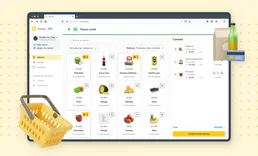
Treinta App
12 toolsEmpower Latin American SMBs automating Treinta app. Access ledgers, manage client debt, and review store inventories actively from chat.