
Bring Ach Transfers
to Cline
Create your Vinkius account to connect Column to Cline and start using all 12 AI tools in minutes. Fully managed, enterprise secure, and ready to use without writing a single line of code. No hosting, no server setup — just connect and start using.
 GDPR Free for Subscribers
Compatible with every major AI agent and IDE
 Gemini
What is the Column MCP Server?
The Column MCP Server effectively bypasses standard FinTech wrappers and ties your artificial intelligence directly to one of the only nationally chartered US banks built originally around raw Developer APIs.
What you can do
- Automated Clearing — Use
column_create_ach_transferto reliably settle recurring vendor payouts directly out of your native balance without relying on external UI web panels. - Establish Corporate Entities — Hook your conversational bots to construct KYC/KYB verified operational clusters
column_create_entityready to map against newly minted bank account numbers (column_create_bank_account). - Physical Check Writing — Astonishing API feature: send literal paper checks natively out to US addresses. Formulate text like "Mail a $40 check to John's address in Texas for maintenance" and the
column_create_checkprints and bounds the ledger payload directly.
How it works
- Sign up onto the Column Bank developer web-app.
- In your security setup, obtain your developer
API Keytoken string which doubles inherently as basic auth credentials internally. - Integrate the token strictly into the application parameters right here inside the MCP interface.
Who is this for?
- Hardcore FinOps — Handle heavy capital movement routing arrays entirely via deterministic Agent actions scaling limitlessly.
- Property / Payroll Managers — Rapidly push independent paper checks leveraging address endpoints via chat interfaces.
Built-in capabilities (12)
Fire an ACH to an external routing/account number
Establish a DDA (Demand Deposit Account)
Very useful for legacy vendor systems. Generate and mail a paper check
In production, this goes through compliance screening. Register a business or person KYC target inside Column
Fire an immediate Wire transfer
Audit settled funds inside a Bank Account
Fetch specific DDA details (Routing info)
Retrieve the generated bank statement artifacts
View all active KYC profiles under the charter
Sweep historical ACH payment operations
View all registered listening streams
Trigger Sandbox inbound money movement
Why Cline?
Cline operates autonomously inside VS Code. it reads your codebase, plans a strategy, and executes multi-step tasks including Column tool calls without waiting for prompts between steps. Connect 12 tools through Vinkius and Cline can fetch data, generate code, and commit changes in a single autonomous run.
- —
Cline operates autonomously. it reads your codebase, plans a strategy, and executes multi-step tasks including MCP tool calls without step-by-step prompts
- —
Runs inside VS Code, so you get MCP tool access alongside your existing extensions, terminal, and version control in a single window
- —
Cline can create, edit, and delete files based on MCP tool responses, enabling end-to-end automation from data retrieval to code generation
- —
Transparent execution: every tool call and file change is shown in Cline's activity log for full visibility and approval before committing
Column in Cline
Why run Column with Vinkius?
The Column connection runs on our fully managed, secure cloud infrastructure. We handle the hosting, maintenance, and security so you don't have to deal with servers or code. All 12 tools are ready to work instantly without any complex setup.
You stay in complete control of your data. Your AI only accesses the information you approve, keeping your sensitive passwords and private details completely safe. Plus, with automatic optimizations, your AI works faster and more efficiently.
* Every connection is hosted and maintained by Vinkius. We handle the security, updates, and infrastructure so you don't have to write code or manage servers. See our infrastructure
Over 4,000 integrations ready for AI agents
Explore a vast library of pre-built integrations, optimized and ready to deploy.
Connect securely in under 30 seconds
Generate tokens to authenticate and link external services in a single step.
Complete visibility into every agent action
Audit live requests, latency, success rates, and active security compliance policies.
Optimize spending and track token ROI
Analyze real-time token consumption and cost metrics detailed by connection.




Explore our live AI Agents Analytics dashboard to see it all working
This dashboard is included when you connect Column using Vinkius. You will never be left in the dark about what your AI agents are doing with your tools.
Column and 4,000+ other AI tools. No hosting, no code, ready to use.
Professionals who connect Column to Cline through Vinkius don't need to write code, manage servers, or worry about security. Everything is pre-configured, secure, and runs automatically in the background.
Raw MCP | Vinkius | |
|---|---|---|
| Ready-to-use MCPs | Find and configure each manually | 4,000+ MCPs ready to use |
| Connection Setup | Manual coding & server setup | 1-click instant connection |
| Server Hosting | You host it yourself (needs 24/7 uptime) | 100% hosted & managed by Vinkius |
| Security & Privacy | Stored in plaintext config files | Bank-grade encrypted vault |
| Activity Visibility | Blind execution (no logs or tracking) | Live dashboard with real-time logs |
| Cost Control | Runaway AI token spend risk | Automatic budget limits |
| Revoking Access | Must delete files or code to stop | 1-click disconnect button |
How Vinkius secures
Column for Cline
Every request between Cline and Column is protected by our secure gateway. We automatically keep your sensitive data private, prevent unauthorized access, and let you disconnect instantly at any time.
Frequently asked questions
Is 'column_create_check' actually sending out physical US Mail?
Yes! Column natively operates check printing infrastructure lockboxes. By providing a proper US Address in your chat interface to column_create_check, Column mechanically generates the cheque deducting the amount initially and mails it sequentially. It is incredibly useful for archaic landlord payouts and contractor duties.
How are Webhooks handled in the AI interaction space?
With column_list_webhooks, you give your AI agent deep systemic oversight over what automated routing endpoints are configured to hear back clearance metrics. An AI could check if an engineer correctly connected your primary SaaS billing app to Column's wire settlements.
Does Column authentication require extensive mTLS configurations as well?
No, US Banking BaaS endpoints standardly utilize simpler Auth mappings than LATAM. Column simply relies on Basic Authentication mapping natively your standard alphanumeric API KEY which the framework seamlessly encodes securely for you under the hood.
How does Cline connect to MCP servers?
Cline reads MCP server configurations from its settings panel in VS Code. Add the server URL and Cline discovers all available tools on initialization.
Can Cline run MCP tools without approval?
By default, Cline asks for confirmation before executing tool calls. You can configure auto-approval rules for trusted servers in the settings.
Does Cline support multiple MCP servers at once?
Yes. Configure as many servers as needed. Cline can use tools from different servers within the same autonomous task execution.
Server shows error in sidebar
Click the server name to see logs. Verify the URL and token are correct.
Explore More MCP Servers
View all →
JigsawStack
7 toolsAccess a suite of AI utility APIs for web scraping, translation, OCR, and sentiment analysis in one developer-friendly platform.
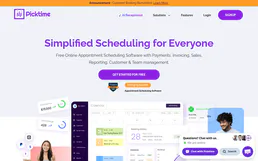
Picktime
10 toolsEquip your AI agent to manage scheduling operations. Fetch global availabilities, list locations, and manage business bookings via chat natively.

Helicone (LLM Observability)
10 toolsMonitor LLM usage via Helicone — track requests, analyze costs, measure latency, and manage prompts.
Statuspage (Atlassian)
16 toolsManage Atlassian Statuspage — list pages, update configurations, and handle user permissions or access controls via AI.