
Bring Mysql
to OpenAI Agents SDK
Create your Vinkius account to connect PlanetScale to OpenAI Agents SDK and start using all 10 AI tools in minutes. Fully managed, enterprise secure, and ready to use without writing a single line of code. No hosting, no server setup — just connect and start using.
 GDPR Free for Subscribers
Compatible with every major AI agent and IDE
 Gemini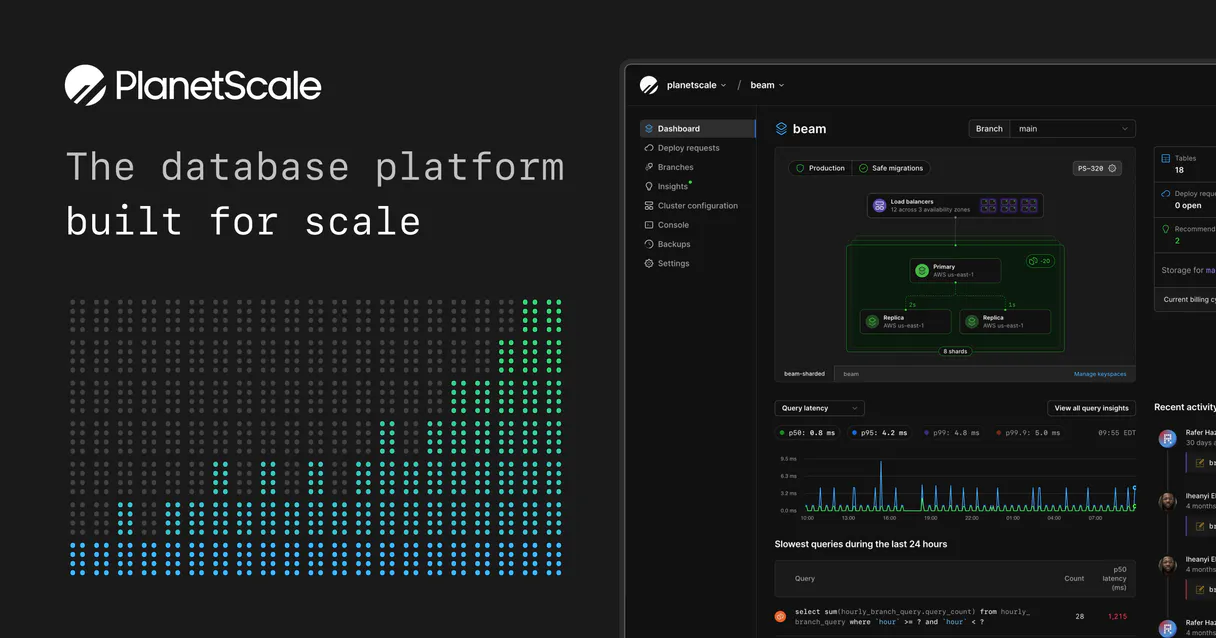
What is the PlanetScale MCP Server?
Empower your AI agents to manage your PlanetScale serverless infrastructure seamlessly. Leverage the power of Vitess-backed MySQL without leaving your IDE. Ask your AI to branch a production database for testing, list regions, or drop obsolete schema forks instantly.
What you can do
- Database Provisioning — Instantly list (
list_databases), inspect, create (create_database), or destroy serverless MySQL clusters running across global regions. - Branch Management — Harness PlanetScale's Git-like schema workflows. Direct your LLM to spawn a temporary
shadow-testbranch cloned frommain(create_branch), allowing consequence-free migrations before orchestrating Deploy Requests. - Infrastructure Exploration — Discover strict organizational IDs (
list_organizations) and query available physical cloud provider edges (list_regions) to optimize latency targets.
How it works
- Ensure your AI environment has this connector subscribed
- Provide an active PlanetScale Service Token
- Manage fleets of serverless data clusters via natural language inside Cursor or Claude
Who is this for?
- DevOps Engineers — automate the destruction of stale staging branches (
delete_branch) via simple LLM terminal chat commands. - Full-stack Developers — spin up ephemeral database branches for isolated feature development without touching the web console.
- Platform Architects — audit distribution footprints, node metadata, and connection strings across multiple organizational environments automatically.
Built-in capabilities (10)
Does *not* duplicate data (creates an empty schema clone of the parent) for secure CI testing uncoupled entirely from `main` load balancing layers. Fork a PlanetScale schema mapping to a new isolated Branch
Creates empty environments ready to execute explicit DDL definitions via non-blocking Deploy Requests. Provision a radically scalable Serverless Database instance
Utilized constantly within CI/CD pipelines following a successful Deploy Request morphing `main` schema structure directly. Purge an obsolete Git-like Schema testing ground
Dropping the database effectively wipes terabytes of records scattered globally. Fails fully if unacknowledged connection logic binds it. Destroy a PlanetScale MySQL construct irreversibly
Returns access hostnames for code integration. Deconstruct the layout of a single explicit Database Branch
Analyze core configuration of a specific MySQL cluster logic
Essential for migrating schemas without locking production reads/writes. List Development Database Branches mirroring Prod architectures
Retrieves explicitly mapping IDs orchestrating distributed Vitess backend shards. List high-availability PlanetScale MySQL DB distributions
Used solely to resolve the foundational string key prerequisite for all subsequent MySQL endpoint management. List root PlanetScale organizational identifiers
Critical reference required during new Database/Branch physical provisioning routines. Locate physical edge availability zones supported by Vitess
Why OpenAI Agents SDK?
The OpenAI Agents SDK auto-discovers all 10 tools from PlanetScale through native MCP integration. Build agents with built-in guardrails, tracing, and handoff patterns. chain multiple agents where one queries PlanetScale, another analyzes results, and a third generates reports, all orchestrated through Vinkius.
- —
Native MCP integration via
MCPServerSse, pass the URL and the SDK auto-discovers all tools with full type safety - —
Built-in guardrails, tracing, and handoff patterns let you build production-grade agents without reinventing safety infrastructure
- —
Lightweight and composable: chain multiple agents and MCP servers in a single pipeline with minimal boilerplate
- —
First-party OpenAI support ensures optimal compatibility with GPT models for tool calling and structured output
PlanetScale in OpenAI Agents SDK
Why run PlanetScale with Vinkius?
The PlanetScale connection runs on our fully managed, secure cloud infrastructure. We handle the hosting, maintenance, and security so you don't have to deal with servers or code. All 10 tools are ready to work instantly without any complex setup.
You stay in complete control of your data. Your AI only accesses the information you approve, keeping your sensitive passwords and private details completely safe. Plus, with automatic optimizations, your AI works faster and more efficiently.
* Every connection is hosted and maintained by Vinkius. We handle the security, updates, and infrastructure so you don't have to write code or manage servers. See our infrastructure
Over 4,000 integrations ready for AI agents
Explore a vast library of pre-built integrations, optimized and ready to deploy.
Connect securely in under 30 seconds
Generate tokens to authenticate and link external services in a single step.
Complete visibility into every agent action
Audit live requests, latency, success rates, and active security compliance policies.
Optimize spending and track token ROI
Analyze real-time token consumption and cost metrics detailed by connection.




Explore our live AI Agents Analytics dashboard to see it all working
This dashboard is included when you connect PlanetScale using Vinkius. You will never be left in the dark about what your AI agents are doing with your tools.
PlanetScale and 4,000+ other AI tools. No hosting, no code, ready to use.
Professionals who connect PlanetScale to OpenAI Agents SDK through Vinkius don't need to write code, manage servers, or worry about security. Everything is pre-configured, secure, and runs automatically in the background.
Raw MCP | Vinkius | |
|---|---|---|
| Ready-to-use MCPs | Find and configure each manually | 4,000+ MCPs ready to use |
| Connection Setup | Manual coding & server setup | 1-click instant connection |
| Server Hosting | You host it yourself (needs 24/7 uptime) | 100% hosted & managed by Vinkius |
| Security & Privacy | Stored in plaintext config files | Bank-grade encrypted vault |
| Activity Visibility | Blind execution (no logs or tracking) | Live dashboard with real-time logs |
| Cost Control | Runaway AI token spend risk | Automatic budget limits |
| Revoking Access | Must delete files or code to stop | 1-click disconnect button |
How Vinkius secures
PlanetScale for OpenAI Agents SDK
Every request between OpenAI Agents SDK and PlanetScale is protected by our secure gateway. We automatically keep your sensitive data private, prevent unauthorized access, and let you disconnect instantly at any time.
Frequently asked questions
Can I run destructive commands like deleting databases through this AI implementation?
Yes. The integration provides delete_branch and delete_database. They map directly to infrastructure teardowns. You should scope the Service Token carefully inside the PlanetScale dashboard to avoid catastrophic misinterpretations if your explicit intent is just testing. Deletions via delete_database are absolute and irretrievable.
Does `create_branch` replicate and copy my production dataset into the new branch?
No. PlanetScale branches solely duplicate the static underlying DDL structure (schema), exactly like taking a snapshot of empty tables. The new branch boots up free of rows. This design lets your agent freely run ALTER TABLE operations independently without crashing the master tables.
How does the agent know which organizational node I am provisioning my branches on?
All queries essentially require the foundational string parameters known as the org_name. If unknown, a simple list_organizations query reveals the UUID scope dictating your authorized account parameter bounds securely.
How does the OpenAI Agents SDK connect to MCP?
Use MCPServerSse(url=...) to create a server connection. The SDK auto-discovers all tools and makes them available to your agent with full type information.
Can I use multiple MCP servers in one agent?
Yes. Pass a list of MCPServerSse instances to the agent constructor. The agent can use tools from all connected servers within a single run.
Does the SDK support streaming responses?
Yes. The SDK supports SSE and Streamable HTTP transports, both of which work natively with Vinkius.
MCPServerStreamableHttp not found
Ensure you have the latest version: pip install --upgrade openai-agents
Agent not calling tools
Make sure your prompt explicitly references the task the tools can help with.
Explore More MCP Servers
View all →
GovInfo
8 toolsSearch and retrieve official US Government documents and publications via AI.
Anvyl
10 toolsStreamline your supply chain with Anvyl — manage purchase orders, track shipments, and coordinate with suppliers via AI.

Eventbrite
12 toolsCreate events, sell tickets, and manage attendees with the world largest self-service ticketing platform for any occasion.
Bland AI
10 toolsAutomate phone calls via Bland AI — dispatch voice agents, analyze call transcripts, and manage inbound phone numbers directly from your AI agent.