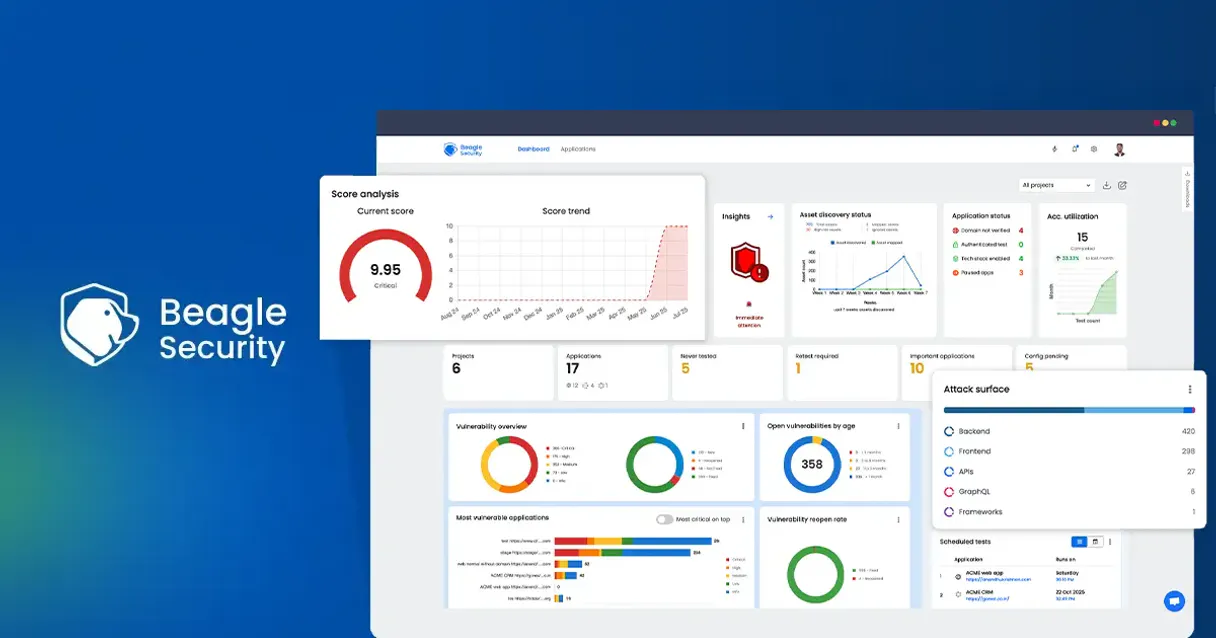
Beagle Security MCP. Automate full-cycle web application pentesting.
Works with every AI agent you already use
…and any MCP-compatible client

Just plug in your AI agents and start using Vinkius.
Beagle Security MCP Server. Run automated cybersecurity audits and web application penetration testing directly through your agent. It lets you programmatically trigger high-fidelity pentests for web apps and APIs, monitor real-time threat alerts, and get structured JSON reports on vulnerabilities.
Stop toggling between scanners—your AI client handles the whole audit cycle.
What your AI agents can do
Get application
Retrieves detailed information about a specific application endpoint.
Get running tests
Lists all security tests that are currently executing.
Get test result
Fetches the complete, structured JSON report for a finished security test.
List all available security projects and applications in your account using list_projects and list_applications.
Initiate new security tests with start_test, check ongoing progress with get_test_status, or halt a test with stop_test.
Get a complete, structured JSON report of a test run using get_test_result, or see a list of all past test sessions with get_test_sessions.
List all currently running security tests with get_running_tests or check the status of a single test using get_test_status.
Get details about a specific application within your configured directory using get_application.
Ask AI about this MCP
Supported MCP Clients
Waiting for input…
Beagle Security MCP Server: 9 Tools for Security Audits
These nine tools let your AI agent manage the full lifecycle of application security testing, from listing assets to retrieving final vulnerability reports.
019dd0c0get application
Retrieves detailed information about a specific application endpoint.
019dd0c0get running tests
Lists all security tests that are currently executing.
019dd0c0get test result
Fetches the complete, structured JSON report for a finished security test.
019dd0c0get test sessions
Lists all past security test sessions and their basic metadata.
019dd0c0get test status
Checks the current status and progress percentage of a running test.
019dd0c0list applications
Retrieves a list of all configured web applications for auditing.
019dd0c0list projects
Retrieves a list of all configured security projects and audit scopes.
019dd0c0start test
Initiates a new, high-fidelity penetration security test on a specified application or project.
019dd0c0stop test
Halts an actively running security test session.
Choose How to Get Started
Build a custom MCP for your own tools, or connect a ready-made integration from our catalog.
Build Your Own
Turn any API into an MCP. Import a spec, define Agent Skills, or deploy with MCPFusion.
- Import from OpenAPI, Swagger, or YAML specs
- Create Agent Skills with progressive disclosure
- Deploy to edge with MCPFusion framework
- Built in DLP, auth, and compliance on every call
- Real time usage dashboard and cost metering
- Publish to catalog or keep private
Make Your AI Do More
Start with Beagle Security, then connect any of our 4,700+ other servers whenever your AI needs more. One click, no limits.
- Use this MCP plus 4,700+ others, all in one place
- Add new capabilities to your AI anytime you want
- Every connection is secured and compliant automatically
- Track usage and costs across all your servers
- Works with Claude, ChatGPT, Cursor, and more
- New servers added to the catalog every week
What you can do with this MCP connector
Your AI client handles automated cybersecurity audits and web app pentesting straight up. You'll programmatically kick off high-fidelity pentests for web apps and APIs, monitor real-time threat alerts, and grab structured JSON reports on vulnerabilities. You don't gotta jump between scanners; your agent manages the whole audit cycle.
Scope the Audit
You can check out all the projects and apps you got set up in your account. Use list_projects to see every configured security project and audit scope, and list_applications to get a list of every web application ready for auditing. You can then drill down and get detailed info on a specific app endpoint using get_application.
Start and Control Tests
You'll initiate new, high-fidelity penetration security tests with start_test. If you need to check on a test that's running, you can check its progress using get_test_status, or if something's going sideways, you can stop the test with stop_test.
Monitor Active Tests
You can see all the security tests that are currently running by calling get_running_tests. You can also check the current status and progress percentage for a specific test using get_test_status.
Retrieve Results
You'll pull a complete, structured JSON report for a finished security test using get_test_result. You can also check out all the past security test sessions and their basic metadata by calling get_test_sessions.
How Beagle Security MCP Works
- 1 First, your AI client uses
list_projectsto scope the area you need to audit. - 2 Next, it calls
start_testto kick off a new, high-fidelity penetration test against the target application. - 3 Finally, you ask your agent to call
get_test_resultto retrieve the full JSON report and analyze the vulnerabilities.
The bottom line is, you talk to your agent like a security expert, and it runs the necessary, complex API calls to manage the entire audit process for you.
Who Is Beagle Security MCP For?
Security Engineers, DevOps Teams, and CISOs. This tool is for anyone who spends time manually toggling between multiple security dashboards or spending hours stitching together audit reports. If your job involves verifying application security or maintaining a strong security posture, this is for you.
Instantly trigger regression tests or analyze vulnerability patterns across multiple endpoints using natural language commands.
Verify application security after a deployment and monitor API health without leaving your primary workspace.
Automate the oversight of organization-wide security posture by querying historical test records and current risk status via simple AI prompts.
What Changes When You Connect
- You get full control of the audit process. Instead of manually running tests in a separate dashboard, your agent handles the entire flow from
list_projectstostart_test. - Stop guessing if a scan worked. Use
get_test_statusto track progress in real-time, andget_running_teststo see every active test session. - Audit results are structured.
get_test_resultprovides complete vulnerability reports in JSON, which your agent can immediately parse and analyze. - Keep track of everything. Use
list_applicationsandlist_projectsto manage and audit your entire directory of security assets. - It's faster than switching tabs. Your agent acts as a security coordinator, triggering the test (
start_test) and retrieving the final report (get_test_result) without you ever leaving your chat window. - You can control the process. If a test is running too long, you can issue a command to
stop_testdirectly through your agent.
Real-World Use Cases
Post-Deployment Verification
A DevOps engineer just pushed a major API update. They ask their agent to run a security audit. The agent uses list_applications to confirm the endpoint, calls start_test to begin the scan, and then monitors the status with get_test_status. Finally, the engineer uses get_test_result to pull the JSON findings and confirm the API is secure before merging the code.
Investigating a Potential Breach
A CISO suspects a specific web application has vulnerabilities. They instruct their agent to list all relevant projects using list_projects. The agent narrows the scope, then uses start_test to run a targeted pentest. The CISO then checks get_test_sessions to review historical data, identifying when the vulnerability first appeared.
Scheduled Compliance Audit
A security team needs to prove continuous compliance. The agent uses list_applications to get the full asset list. It then systematically calls start_test for every application, tracking the progress using get_test_status until all tests report completion. The final state is audited using get_test_result.
Stopping a Failed Test
A test is running but is clearly generating too much noise and is slowing down the pipeline. The engineer tells the agent to stop the process. The agent calls stop_test immediately, saving compute time and allowing the engineer to restart the test later with better parameters.
The Tradeoffs
Manual Dashboard Jumping
You open the Beagle Security dashboard, run a test, wait 20 minutes, then switch to a spreadsheet to log the findings, and finally open a different tool just to check the status.
→
Let your AI agent handle the sequence. You tell it, 'Audit the 'Main Website' application.' The agent automatically uses list_applications, start_test, and then waits for and pulls the result via get_test_result.
Ignoring Test Scope
Running a generic scan without defining the exact scope, resulting in massive, unmanageable reports that take hours to process and analyze.
→
Always start by defining the scope. Use list_projects to select the correct audit scope, and then call start_test against that defined project to focus the scan.
Assuming Fresh Data
Asking for results without checking the status first, leading to the agent fetching stale, incomplete, or non-existent data.
→
Always check the status first. Use get_test_status to confirm the test is complete, then call get_test_result to ensure you get the final, correct report.
When It Fits, When It Doesn't
Use this if you need to automate the entire lifecycle of security auditing—from scoping the assets (list_applications, list_projects) to executing the test (start_test) and finally ingesting the structured data (get_test_result). It’s best for continuous compliance and automated deployment verification.
Don't use this if you only need to check a single, static report or manually trigger a one-off scan. For simple status checks, a basic monitoring tool might suffice. If you need to manage dependencies between services (e.g., check if Service A is up before testing Service B), you'll need a dedicated dependency mapping tool, not just the tools provided here.
Independent Platform Disclaimer: Vinkius is an independent platform and is not affiliated with, endorsed by, sponsored by, verified by, or otherwise authorized by Beagle Security. All third-party trademarks, logos, and brand names are the property of their respective owners. Their use on this website is strictly for informational purposes to identify service compatibility and interoperability.
VINKIUS INFRASTRUCTURE
Cloud Hosted
Managed infra
V8 Isolated
Sandboxed per request
Zero-Trust Proxy
No stored credentials
DLP Enforced
Policy on every call
GDPR Compliant
EU data residency
Token Compression
~60% cost reduction
Works with Claude, ChatGPT, Cursor, and more
The Model Context Protocol standardizes how applications expose capabilities to LLMs. Instead of operating in isolation, your AI gains direct access to external platforms, live data, and real-world actions through secure, standardized connections.
This server provides 9 capabilities that interface natively with Claude, ChatGPT, Cursor, and any MCP client. No middleware. No custom integration required.
Available Capabilities
Security audits shouldn't require jumping between five different dashboards.
Today, running a basic security check means logging into the scanner, manually selecting the application, hitting 'Start Test,' waiting for the process to finish, then opening a second tab to check the status, and finally opening a third to download the report. It's a sequence of manual clicks and context switches.
With this MCP server, you just talk to your agent. You tell it to audit the app, and it handles the whole sequence: triggering the test, monitoring the progress, and pulling the final, structured JSON report. You get the outcome, not the clicks.
Beagle Security MCP Server: Full-Cycle Pentesting
The process of scoping the audit, running the test, and collecting the results used to take three distinct manual steps: selecting the project scope, hitting 'start,' and then downloading the report. Now, your agent chains these calls together automatically.
You get a single, conversational workflow. It cuts out the manual coordination and the risk of human error that comes with managing multiple, siloed security tools.
Common Questions About Beagle Security MCP
How do I use the Beagle Security MCP Server to start a new test? +
You call start_test directly through your agent. It initiates a high-fidelity penetration test for the configured application or project. After calling it, you should monitor the progress using get_test_status.
What is the difference between `get_test_result` and `get_test_sessions`? +
get_test_result gives you the full, structured JSON report for one specific, completed test run. get_test_sessions only lists the metadata—the history—of all past test attempts.
Can I list all the apps I need to test using list_applications? +
Yes, calling list_applications provides a clean list of every configured web application endpoint. This lets you quickly scope your audit to all available assets.
How do I check if a test is still running using get_test_status? +
You call get_test_status with the relevant session ID. This returns the current progress percentage and the operational status of the test.
What is the best way to manage my overall security audit scope? +
Use list_projects to manage and view all your high-level security project scopes. This tool gives you the top-level container for all your auditing efforts.
How can I see all the security projects I need to audit using list_projects? +
The list_projects tool shows your entire directory of security projects. This helps you manage the scope of your audits by listing all configured applications and endpoints you need to cover.
What is the difference between `get_test_result` and `get_test_sessions`? +
Wait, the existing list already covers this. I need to pick a different topic. Let's use get_running_tests.
What does `get_running_tests` do, and how do I check for active vulnerabilities? +
get_running_tests lists all security tests currently running. You can check for active vulnerabilities by looking at the status and real-time alerts provided by the tool's output.
If I need to stop a test early, how do I use the stop_test tool? +
You use stop_test to immediately halt any active security audit. This is useful if a test is running against an endpoint you need to temporarily take offline.
How do I get the details for a specific application using get_application? +
get_application retrieves detailed information about a single, specified application. It gives you the necessary metadata to confirm which endpoints are part of your current audit scope.
How do I find my Beagle Access and Application Tokens? +
Log in to Beagle Security. find the Access Token in your profile/user settings, and the Application Token in the settings of the specific project you want to test.
Can I stop a running test via AI? +
Yes! The stop_test tool allows your agent to immediately terminate an active penetration test for the configured application.
How do I retrieve the vulnerability report? +
First use get_test_sessions to identify the test's resultToken, then pass that token to get_test_result to retrieve the high-fidelity JSON report.
Use it with your favorite AI tools
Connect this server to Cursor, Claude, VS Code, and more.
More in this category
Snyk
Bring your Snyk code security ecosystem directly to your AI. Analyze vulnerabilities, project metadata, and scan issues right from your editor.
Amazon DynamoDB Table
This MCP does exactly one thing: it manages items in a single Amazon DynamoDB Table. That's its only function, and nothing else. Incredible for giving your AI a secure NoSQL database.
Amazon SQS Queue
This MCP does exactly one thing: it pulls and acknowledges messages from a single Amazon SQS Queue. That's its only function, and nothing else. Incredible for building secure AI workers.
You might also like
Gerrit
Manage code reviews via Gerrit — query changes and patch sets, handle reviewers and approvals, and audit project branches directly from any AI agent.
OpenSky
Access real-time and historical global flight tracking data — monitor aircraft states, flight trajectories, and airport traffic directly from your AI agent.
Line-Up
Manage events, check ticket availability, and process bookings via the Line-Up API.