
Integrate Paymo with Claude, Cursor, Chatbots & AI Agents MCP Server
 GDPR Free for Subscribers
Compatible with every major AI agent and IDE
 Gemini
Create task on Paymo
Dispatch an automated validation check routing explicit Task additions
Create time entry on Paymo
Mutate global bounds verifying explicitly assigned Ledger additions
Get project details on Paymo
Inspect deep internal arrays mitigating specific Project bindings
List clients on Paymo
Identify precise active arrays spanning native CRM identities
List invoices on Paymo
Perform structural extraction of properties driving active Billing
List milestones on Paymo
Inspect deep internal arrays mitigating specific Time targets
List projects on Paymo
Identify bounded routing spaces inside the Headless Paymo Platform
List tasks on Paymo
Retrieve explicit Cloud logging tracing explicit Project Tasks
List time entries on Paymo
Enumerate explicitly attached structured rules exporting active Ledger data
List users on Paymo
Enumerate explicitly attached structured rules defining Worker identities
Security & Code Integrity Audit
Every tool in the Paymo MCP Server is continuously audited by the Vinkius Security Engine. We guarantee zero-trust payload isolation, strict data boundaries, and deterministic execution for enterprise-grade AI agents.
How Vinkius protects your data
Can I set different limits for each virtual assistant on my team?
Absolutely. You have full control in our command center. You can create an AI agent that only "reads" data so the support team can answer questions, and another superpowered agent that can "edit" and "create" information exclusively for your operations team. Each AI gets exactly the level of access you allow.
What happens if the underlying API rate limits my agent?
Our edge infrastructure automatically handles backoffs, queueing, and throttling. If an AI agent sends too many erratic requests, Vinkius manages the rate limits gracefully, ensuring your backend doesn't crash.
How does the AI access my passwords and credentials?
It simply doesn't. On Vinkius, your passwords, API keys, and login details are kept in a secure vault. The AI (like ChatGPT or Claude) merely "asks" Vinkius to perform the task. Vinkius opens the door, does the work, and hands the result back to the AI. Your credentials are never seen, read, or learned by the artificial intelligence.
How exactly does the AI log time tracking entries to a task?
Through explicit invocation by pushing bounds mapped securely over create_time_entry. You instruct exactly 'Add 2 hours for task XY', and the node bridges those limits pushing explicitly into the structural API.
How Chatbots Interact with Paymo
Integrate Paymo to provide your custom AI agents with direct read and write access to the capabilities listed below.
AI Semantic Routing for time tracking
Integrate time tracking features into your LLM framework using Paymo. The MCP server ensures precise command execution across your productivity stack.
Intelligent billing Management
Integrate Paymo to access native billing capabilities. This allows LLMs to perform secure, deterministic execution of productivity tasks without hard-coded API scripts.
Paymo. Runs on everything.
From IDE to framework. Every connection governed by Vinkius.
Anthropic's native desktop app for Claude with built-in MCP support.
AI-first code editor with integrated LLM-powered coding assistance.
GitHub Copilot in VS Code with Agent mode and MCP support.
Purpose-built IDE for agentic AI coding workflows.
Autonomous AI coding agent that runs inside VS Code.
Anthropic's agentic CLI for terminal-first development.
Python SDK for building production-grade OpenAI agent workflows.
Google's framework for building production AI agents.
Type-safe agent development for Python with first-class MCP support.
TypeScript toolkit for building AI-powered web applications.
TypeScript-native agent framework for modern web stacks.
Python framework for orchestrating collaborative AI agent crews.
Leading Python framework for composable LLM applications.
Data-aware AI agent framework for structured and unstructured sources.
Microsoft's framework for multi-agent collaborative conversations.
Explore More MCP Servers
View all →
DataFrame Aggregator Engine
1 toolsPerform blazingly fast GroupBy and Aggregations on massive CSVs local. Save millions of AI tokens and get mathematically perfect sums, means, and counts.
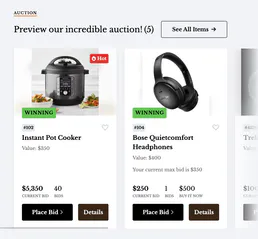
ClickBid
10 toolsManage auction events, bidders, items, and donations directly via AI.

Deterministic 50/30/20 Budget Engine
1 toolsTransform your AI into a hyper-precise financial controller. Mathematically enforce the 50/30/20 budgeting rule on pre-categorized expense pipelines to detect exact capital deviations.
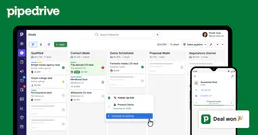
Pipedrive Admin & Settings
8 toolsManage Pipedrive users, sales goals, files, webhooks, currencies, and custom deal fields through natural conversation.