
Integrate Pipedrive Activities with Claude, Cursor, Chatbots & AI Agents MCP Server
 GDPR Free for Subscribers
Compatible with every major AI agent and IDE
 Gemini
Pd activity types on Pipedrive Activities
Default types: call, meeting, task, deadline, email, lunch. Teams can add custom types. Use to discover available activity types before creating activities, especially in accounts with custom configurations. List all activity types configured in Pipedrive — both default types (call, meeting) and custom types defined by the team
Pd create activity on Pipedrive Activities
Subject and type are required. Type must be: call, meeting, email, task, lunch, or deadline (use pd_activity_types to see custom types). Set due_date (YYYY-MM-DD), due_time (HH:MM), and duration (HH:MM). Link to deals, persons, or orgs. Activities appear in the Pipedrive calendar and task queue for the assigned user. Schedule a sales activity in Pipedrive — a call, meeting, email follow-up, task, lunch, or deadline linked to deals or contacts
Pd deal activities on Pipedrive Activities
Returns all scheduled, pending, and completed activities for that deal. Use when the user asks "what activities are on this deal?", "when is the next meeting for this deal?", or needs to review the engagement history of an opportunity. Get all activities (calls, meetings, tasks) linked to a specific deal for a complete activity history
Pd delete activity on Pipedrive Activities
Consider marking as done (pd_mark_activity_done) instead to preserve history. Use only when the user explicitly wants to remove an activity from the record. Permanently delete a Pipedrive activity — this removes it from history and cannot be undone
Pd get activity on Pipedrive Activities
Returns subject, type, dates/times, duration, notes, linked deal/person/org, and completion status. Use after listing activities to drill into a specific item. Get complete details of a specific Pipedrive activity by ID including notes, duration, and linked records
Pd list activities on Pipedrive Activities
Returns subject, type (call/meeting/email/task/lunch/deadline), due date and time, whether it is done, and linked deal/person/org. Filter by done status: "true" for completed, "false" for pending/upcoming. Use when the user asks about tasks to do, scheduled meetings, overdue items, or recent sales activity. List Pipedrive activities (calls, meetings, tasks, emails) with due dates, types, and completion status
Pd mark activity done on Pipedrive Activities
The activity remains in history but is no longer in the pending/overdue queue. Use when the user says they completed a call, finished a meeting, or done with a task. Mark a Pipedrive activity as completed — removes it from the pending task queue and logs it as done
Pd update activity on Pipedrive Activities
Only specified fields change. Use to reschedule (change due_date), rename (change subject), or reclassify (change type). Does not mark as done — use pd_mark_activity_done for that. Update an existing Pipedrive activity — reschedule, rename, or change type
Security & Code Integrity Audit
Every tool in the Pipedrive Activities MCP Server is continuously audited by the Vinkius Security Engine. We guarantee zero-trust payload isolation, strict data boundaries, and deterministic execution for enterprise-grade AI agents.
How Vinkius protects your data
Can I set different limits for each virtual assistant on my team?
Absolutely. You have full control in our command center. You can create an AI agent that only "reads" data so the support team can answer questions, and another superpowered agent that can "edit" and "create" information exclusively for your operations team. Each AI gets exactly the level of access you allow.
Can I audit what my AI agents are doing with this integration?
Yes, Vinkius provides an immutable, HMAC-chained audit log. Every tool execution, payload, and response is tracked in real-time on your dashboard, giving you complete visibility into your agent's actions.
How does authentication work?
Uses your personal Pipedrive API token. Find it in Settings > Personal preferences > API. No OAuth flow needed.
Does the AI train on my tools or API data?
No. Vinkius enforces a strict Zero-Retention policy. Your data simply passes through our secure servers to complete the requested action and is instantly forgotten. Nothing you do here is ever stored, logged, or used to train any artificial intelligence.
What can AI Agents do with Pipedrive Activities?
We map standard API endpoints to agent-compatible instructions. Connect Pipedrive Activities to execute these core functional operations.
activity tracking & AI Execution
Integrate the Pipedrive Activities server to handle activity tracking requests natively. It provides the schemas required for ChatGPT and Cursor to manage sales crm data.
Autonomous task management Strategies
Integrate Pipedrive Activities to access native task management capabilities. This allows LLMs to perform secure, deterministic execution of sales crm tasks without hard-coded API scripts.
Pipedrive Activities. Runs on everything.
From IDE to framework. Every connection governed by Vinkius.
Anthropic's native desktop app for Claude with built-in MCP support.
AI-first code editor with integrated LLM-powered coding assistance.
GitHub Copilot in VS Code with Agent mode and MCP support.
Purpose-built IDE for agentic AI coding workflows.
Autonomous AI coding agent that runs inside VS Code.
Anthropic's agentic CLI for terminal-first development.
Python SDK for building production-grade OpenAI agent workflows.
Google's framework for building production AI agents.
Type-safe agent development for Python with first-class MCP support.
TypeScript toolkit for building AI-powered web applications.
TypeScript-native agent framework for modern web stacks.
Python framework for orchestrating collaborative AI agent crews.
Leading Python framework for composable LLM applications.
Data-aware AI agent framework for structured and unstructured sources.
Microsoft's framework for multi-agent collaborative conversations.
Explore More MCP Servers
View all →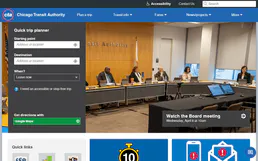
CTA
11 toolsAccess Chicago transit data via CTA — track L trains and buses in real-time, check arrivals, monitor service alerts, and plan trips from any AI agent.
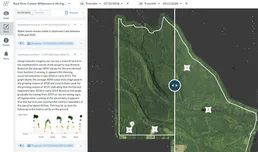
Upstream Lens
8 toolsMonitor upstream oil and gas operations with production data analytics, well performance tracking, and field reporting tools.

Bevy Community
10 toolsManage your community events and chapters via Bevy — list events, attendees, and chapters directly from any AI agent.
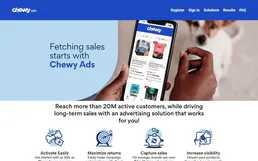
Chewy Ads
8 toolsManage retail media and sponsored products via Chewy Ads — track campaigns, monitor performance, and audit keywords directly from any AI agent.