

Tyk MCP Server with 12 Tools for Claude, Cursor, and AI Agents
 GDPR Free for Subscribers
Manage your Tyk API Gateway and Dashboard — create keys, manage security policies, and list API definitions via natural language. Vinkius routes your AI agents directly to Tyk through a governed connection. 12 tools ready to use with Claude, ChatGPT, Cursor, or any AI agent — no hosting, no setup, connect in 30 seconds.
Ask AI about this server
Compatible with every major AI agent and IDE
 Gemini
* Every MCP server runs on Vinkius-managed infrastructure inside AWS - a purpose-built runtime with per-request V8 isolates, Ed25519 signed audit chains, and sub-40ms cold starts optimized for native MCP execution. See our infrastructure
What is the Tyk MCP Server?
The Tyk MCP Server routes AI agents like Claude, ChatGPT, and Cursor directly to Tyk via 12 tools. Manage your Tyk API Gateway and Dashboard — create keys, manage security policies, and list API definitions via natural language. Powered by Vinkius — your credentials stay on your side of the connection, every request is auditable. Connect in under 2 minutes.
Built-in capabilities (12)
Tools for your AI Agents to operate Tyk
Ask your AI agent "List all my API definitions sorted by name." and get the answer without opening a single dashboard. With 12 tools connected to real Tyk data, your agents reason over live information, cross-reference it with other MCP servers, and deliver insights you would spend hours assembling manually.
Works with Claude, ChatGPT, Cursor, and any MCP-compatible client. Powered by Vinkius — your credentials never touch the AI model, every request is auditable. Connect in under two minutes.
Why teams choose Vinkius
One subscription gives you the infrastructure to connect your AI agents to thousands of MCP servers — and deploy your own to the Vinkius Edge. Your credentials stay yours. Your data flows directly between your agent and the API. DLP blocks sensitive information from ever reaching the model, kill switch for instant shutdown, and up to 60% token savings. Enterprise-grade routing and governance, zero maintenance.
Build your own MCP Server with our secure development framework →The Tyk App Connector works with every AI agent you already use
…and any MCP-compatible client









Use all 12 Tyk tools with your AI agents right now
Vinkius routes your AI agents to Tyk through a governed proxy. Beyond a simple connection, you get full visibility into every action your agents perform, with enterprise-grade security and up to 60% savings on AI costs.
Create api definition on Tyk
Requires TYK_DASHBOARD_TOKEN. Create a new API definition
Create key on Tyk
Requires TYK_GATEWAY_SECRET. Create a new API key (Session Object)
Create org key on Tyk
Requires TYK_ADMIN_SECRET. Create an organization key
Create policy on Tyk
Requires TYK_GATEWAY_SECRET. Create a new security policy
Delete key on Tyk
Requires TYK_GATEWAY_SECRET. Delete an API key
Delete policy on Tyk
Requires TYK_GATEWAY_SECRET. Delete a policy
Get key on Tyk
Requires TYK_GATEWAY_SECRET. Get details for a specific API key
Get policy on Tyk
Requires TYK_GATEWAY_SECRET. Get details of a single policy
Hot reload on Tyk
Requires TYK_GATEWAY_SECRET. Force Gateway hot reload
List apis on Tyk
Requires TYK_DASHBOARD_TOKEN. List all API definitions
Update key on Tyk
Requires TYK_GATEWAY_SECRET. Update an existing API key
Update policy on Tyk
Requires TYK_GATEWAY_SECRET. Update an existing policy
What the Tyk MCP Server unlocks
Connect your Tyk instance to any AI agent to streamline your API management and gateway operations through conversation.
What you can do
- Key Management — Create, retrieve, update, and delete API keys (Session Objects) directly in the Tyk Gateway.
- Security Policies — Define and manage security policies to control access rights and rate limits across your API ecosystem.
- API Definitions — List all active API definitions from your Dashboard and create new ones using the Tyk Classic format.
- Gateway Control — Trigger hot reloads to force the Gateway to refresh its configuration and apply changes instantly.
- Granular Inspection — Fetch detailed metadata for specific keys and policies to audit access and performance metrics.
How it works
1. Subscribe to this server
2. Provide your Tyk URL and Gateway Secret (or Dashboard Token)
3. Start managing your API infrastructure from Claude, Cursor, or any MCP client
Who is this for?
- DevOps Engineers — Automate gateway reloads and policy updates without leaving the terminal or chat interface.
- Backend Developers — Quickly generate API keys and check definition statuses during the development lifecycle.
- Security Teams — Audit existing policies and keys to ensure compliance with organizational access standards.
Frequently asked questions about the Tyk MCP Server
How do I apply changes to my Tyk Gateway after updating a policy?
You can use the hot_reload tool. This forces the Tyk Gateway to reload its configuration and API definitions, ensuring all updates are live without a full restart.
Can I list all my existing API definitions from the Dashboard?
Yes! Use the list_apis tool. It returns a paginated list of all API definitions. You can also filter by name using the optional search string.
Is it possible to retrieve the details of a specific API key?
Absolutely. Use the get_key tool with the specific Key ID. The agent will return the session object, including access rights and rate limit configurations.
More in this category

Chainlit
6 toolsEmpower your AI agents to audit chat threads, analyze model steps, and track LLM observability metrics securely.
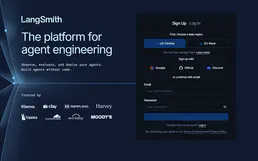
LangSmith
3 toolsObservability and evaluation platform for LLM applications — monitor traces, debug agent runs, and track performance metrics across your AI stack.
WakaTime (Coding Stats)
14 toolsTrack your coding activity and productivity metrics directly through WakaTime — monitor projects, goals, and time spent in your IDE.

JSONPlaceholder
21 toolsAccess fake online REST API for testing and prototyping — manage posts, comments, albums, photos, and todos directly from your AI agent.
You might also like

Weather (Open-Meteo)
7 toolsGet real-time weather, high-precision forecasts, air quality data, and severe weather alerts for any city worldwide.
Wati
7 toolsSend WhatsApp template and session messages, and manage contacts on Wati — the leading WhatsApp Business API solution.
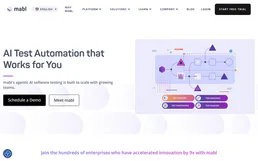
Mabl (AI-Powered Test Automation)
10 toolsManage E2E testing via Mabl — trigger test plans, monitor execution results, and perform AI-driven failure analysis.
PHC GO
16 toolsEquip your AI agent to control your PHC GO ERP. Query customers, retrieve real-time stocks, map taxes, and issue documents conversationally.
We built the connector to Tyk. Now put your agents to work. Fully governed.
Vinkius is the AI Gateway with managed hosting. Stop building connectors. Every connection runs inside eight layers of security.
Hosted, sandboxed, and live on AWS. You don't provision anything. You don't maintain anything. You connect.
Every tool call, every token, every response. Logged and auditable. Data flows direct from Tyk to your agent. Nothing is stored on our side. Ever.
Eight governance layers on every request. Sensitive data redacted before it reaches the model. Kill switch if anything goes sideways. Always on.