
Bring Resource Planning
to Cline
Create your Vinkius account to connect Runn to Cline and start using all 12 AI tools in minutes. Fully managed, enterprise secure, and ready to use without writing a single line of code. No hosting, no server setup — just connect and start using.
 GDPR Free for Subscribers
Compatible with every major AI agent and IDE
 Gemini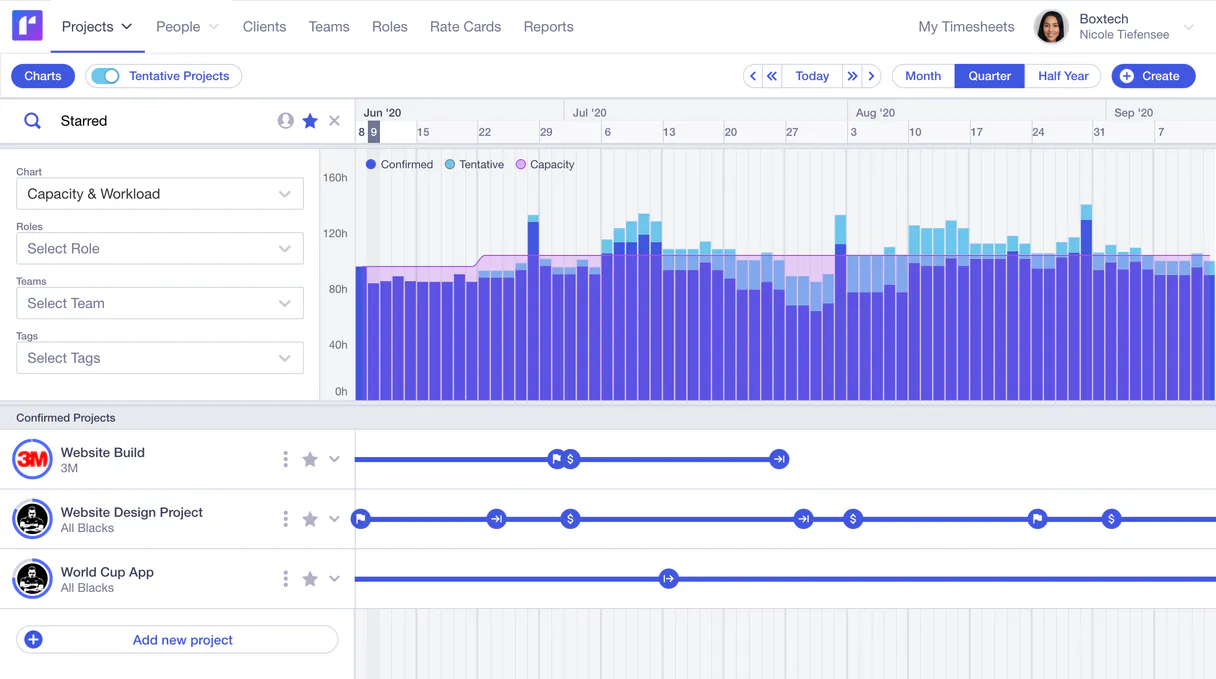
What is the Runn MCP Server?
Integrate your conversational AI natively with Runn, the premier real-time resource planning and forecasting platform. This integration enables your assistant to pull essential project metadata, capacity bottlenecks, people configurations, team allocations, and timesheet metrics directly into your sessions.
What you can do
- Analyze Projects & Resources — Extract ongoing engagement details, milestones, and client associations by querying lists natively (
list_projects,list_clients). Request detailed readouts of individual operational scopes (get_project). - Audit Roles & Assignments — Find exactly who is assigned to what phase, mapping active allocations accurately (
list_assignments,list_phases). Consult team members' details (list_people,get_person) or review globally defined roles (list_roles). - Review Budgets & Actuals — Safely extract reported operational logs (
list_actuals) to compare planned work versus billed hours. Account for non-working days naturally via the holidays lists (list_holidays).
How it works
- Install the core Runn integration into your secure workspace.
- Log into your primary Runn account online. Navigate to Settings and generate a permanent API access string.
- Securely provide this exact
Runn API Tokeninside the integration's configuration section. - Interact directly: "Who is currently assigned to the internal design project according to Runn?"
Who is this for?
- Project Managers — Quickly identify scheduling conflicts or resource constraints using conversational inquiries instead of clicking through dashboards.
- Agency Operations — Extract billed actuals versus forecasted hours instantly to manage client engagements.
- Executives — Easily request status updates and milestone tracking summaries on overarching initiatives.
Built-in capabilities (12)
Retrieves details for a specific person
Retrieves details for a specific project
Lists actual hours logged (timesheet data)
Lists all resource assignments across projects
Lists all clients in the organization
Lists public holidays and non-working days
Lists milestones for a specific project
Lists all people and resources in Runn
Lists project phases for a specific project
Lists all projects managed in Runn
Lists all defined roles/positions
Lists all teams in the workspace
Why Cline?
Cline operates autonomously inside VS Code. it reads your codebase, plans a strategy, and executes multi-step tasks including Runn tool calls without waiting for prompts between steps. Connect 12 tools through Vinkius and Cline can fetch data, generate code, and commit changes in a single autonomous run.
- —
Cline operates autonomously. it reads your codebase, plans a strategy, and executes multi-step tasks including MCP tool calls without step-by-step prompts
- —
Runs inside VS Code, so you get MCP tool access alongside your existing extensions, terminal, and version control in a single window
- —
Cline can create, edit, and delete files based on MCP tool responses, enabling end-to-end automation from data retrieval to code generation
- —
Transparent execution: every tool call and file change is shown in Cline's activity log for full visibility and approval before committing
Runn in Cline
Why run Runn with Vinkius?
The Runn connection runs on our fully managed, secure cloud infrastructure. We handle the hosting, maintenance, and security so you don't have to deal with servers or code. All 12 tools are ready to work instantly without any complex setup.
You stay in complete control of your data. Your AI only accesses the information you approve, keeping your sensitive passwords and private details completely safe. Plus, with automatic optimizations, your AI works faster and more efficiently.
* Every connection is hosted and maintained by Vinkius. We handle the security, updates, and infrastructure so you don't have to write code or manage servers. See our infrastructure
Over 4,000 integrations ready for AI agents
Explore a vast library of pre-built integrations, optimized and ready to deploy.
Connect securely in under 30 seconds
Generate tokens to authenticate and link external services in a single step.
Complete visibility into every agent action
Audit live requests, latency, success rates, and active security compliance policies.
Optimize spending and track token ROI
Analyze real-time token consumption and cost metrics detailed by connection.




Explore our live AI Agents Analytics dashboard to see it all working
This dashboard is included when you connect Runn using Vinkius. You will never be left in the dark about what your AI agents are doing with your tools.
Runn and 4,000+ other AI tools. No hosting, no code, ready to use.
Professionals who connect Runn to Cline through Vinkius don't need to write code, manage servers, or worry about security. Everything is pre-configured, secure, and runs automatically in the background.
Raw MCP | Vinkius | |
|---|---|---|
| Ready-to-use MCPs | Find and configure each manually | 4,000+ MCPs ready to use |
| Connection Setup | Manual coding & server setup | 1-click instant connection |
| Server Hosting | You host it yourself (needs 24/7 uptime) | 100% hosted & managed by Vinkius |
| Security & Privacy | Stored in plaintext config files | Bank-grade encrypted vault |
| Activity Visibility | Blind execution (no logs or tracking) | Live dashboard with real-time logs |
| Cost Control | Runaway AI token spend risk | Automatic budget limits |
| Revoking Access | Must delete files or code to stop | 1-click disconnect button |
How Vinkius secures
Runn for Cline
Every request between Cline and Runn is protected by our secure gateway. We automatically keep your sensitive data private, prevent unauthorized access, and let you disconnect instantly at any time.
Frequently asked questions
Can the AI add new resources, approve timesheets, or assign projects?
No, this connector is constructed strictly logically explicitly purely as a read-only data extraction protocol naturally seamlessly securely flawlessly organically natively seamlessly explicitly efficiently. It pulls records, reporting scopes organically completely accurately carefully tightly mapped optimally.
What data can the AI retrieve from Runn?
The integration can list projects, people, roles, teams, milestones, and clients. It provides a comprehensive read-only view of your resource planning data.
Can I see project budgets and utilization rates?
Yes. By querying project details, the AI can surface budget allocations, scheduled hours, and utilization metrics for each project in your Runn workspace.
How does Cline connect to MCP servers?
Cline reads MCP server configurations from its settings panel in VS Code. Add the server URL and Cline discovers all available tools on initialization.
Can Cline run MCP tools without approval?
By default, Cline asks for confirmation before executing tool calls. You can configure auto-approval rules for trusted servers in the settings.
Does Cline support multiple MCP servers at once?
Yes. Configure as many servers as needed. Cline can use tools from different servers within the same autonomous task execution.
Server shows error in sidebar
Click the server name to see logs. Verify the URL and token are correct.
Explore More MCP Servers
View all →
Anyscale
7 toolsOrchestrate your Anyscale infrastructure — manage LLM queries, vectors, services, and cluster batch jobs directly from your AI agent.

CoinMarketCap
8 toolsEnable your AI agent to query crypto prices, market rankings, and currency conversions via the CoinMarketCap API.

iFLYTEK Open Platform / 讯飞开放平台
8 toolsChina's leading voice and NLP platform — convert speech to text, synthesize voice, and analyze text via AI.

Gitee
10 toolsCollaborative code hosting and development platform — manage repositories, issues, and pull requests via AI.