

Domo MCP Server with 6 Tools for Claude, Cursor, and AI Agents
 GDPR Free for Subscribers
Manage Domo users and groups directly from your AI agent — create, update, and delete users, or organize them into groups for better governance. Vinkius routes your AI agents directly to Domo through a governed connection. 6 tools ready to use with Claude, ChatGPT, Cursor, or any AI agent — no hosting, no setup, connect in 30 seconds.
Ask AI about this server
Compatible with every major AI agent and IDE
 Gemini
* Every MCP server runs on Vinkius-managed infrastructure inside AWS - a purpose-built runtime with per-request V8 isolates, Ed25519 signed audit chains, and sub-40ms cold starts optimized for native MCP execution. See our infrastructure
What is the Domo MCP Server?
The Domo MCP Server routes AI agents like Claude, ChatGPT, and Cursor directly to Domo via 6 tools. Manage Domo users and groups directly from your AI agent — create, update, and delete users, or organize them into groups for better governance. Powered by Vinkius — your credentials stay on your side of the connection, every request is auditable. Connect in under 2 minutes.
Built-in capabilities (6)
Tools for your AI Agents to operate Domo
Ask your AI agent "Create a new Domo user for Alice Smith (alice@company.com) as a 'Privileged' user." and get the answer without opening a single dashboard. With 6 tools connected to real Domo data, your agents reason over live information, cross-reference it with other MCP servers, and deliver insights you would spend hours assembling manually.
Works with Claude, ChatGPT, Cursor, and any MCP-compatible client. Powered by Vinkius — your credentials never touch the AI model, every request is auditable. Connect in under two minutes.
Why teams choose Vinkius
One subscription gives you the infrastructure to connect your AI agents to thousands of MCP servers — and deploy your own to the Vinkius Edge. Your credentials stay yours. Your data flows directly between your agent and the API. DLP blocks sensitive information from ever reaching the model, kill switch for instant shutdown, and up to 60% token savings. Enterprise-grade routing and governance, zero maintenance.
Build your own MCP Server with our secure development framework →The Domo App Connector works with every AI agent you already use
…and any MCP-compatible client









Use all 6 Domo tools with your AI agents right now
Vinkius routes your AI agents to Domo through a governed proxy. Beyond a simple connection, you get full visibility into every action your agents perform, with enterprise-grade security and up to 60% savings on AI costs.
Add user to group on Domo
Add a user to a Domo group
Create group on Domo
Create a new Domo group
Create user on Domo
Optionally sends an invite email. Create a new Domo user
Delete user on Domo
Delete a Domo user
Remove user from group on Domo
Remove a user from a Domo group
Update user on Domo
Update an existing Domo user
What the Domo MCP Server unlocks
Connect your Domo instance to any AI agent to streamline user administration and group management through natural language.
What you can do
- User Administration — Create new users with specific roles (Admin, Privileged, Participant), update existing profiles, or remove users from the system.
- Group Management — Create organizational groups to manage access at scale.
- Membership Control — Seamlessly add or remove users from specific Domo groups to maintain security and collaboration standards.
How it works
1. Subscribe to this server
2. Enter your Domo Access Token
3. Start managing your BI environment from Claude, Cursor, or any MCP client
Who is this for?
- BI Administrators — Quickly provision or deprovision users without navigating complex admin panels.
- Team Leads — Organize team members into groups for shared dashboard access.
- IT Operations — Automate user lifecycle management within the Domo ecosystem.
Frequently asked questions about the Domo MCP Server
Can I automatically send an invitation email when creating a new user?
Yes. When using the create_user tool, the sendInvite parameter defaults to true, which triggers an invitation email to the new user's address.
How do I change a user's role to Admin?
Use the update_user tool and provide the user's unique ID along with the role parameter set to 'Admin'.
Is it possible to remove a user from a specific group without deleting their account?
Absolutely. Use the remove_user_from_group tool with the corresponding group_id and user_id. This only modifies group membership.
More in this category

MongoDB Atlas Vector Search
6 toolsManage vector storage via MongoDB Atlas — perform similarity searches, query MQL documents, and audit collections.

ClickHouse (Vector Search)
7 toolsManage vector embeddings and SQL via ClickHouse — list databases, execute SQL, and perform high-speed vector searches directly from any AI agent.

World Bank Economy
4 toolsInstantly query GDP, inflation, economic growth, and financial sector indicators from the World Bank. Zero auth required.

Honeycomb
12 toolsAutomate observability via Honeycomb — manage datasets, queries, and markers directly from any AI agent.
You might also like
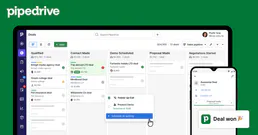
Pipedrive Mail
4 toolsBrowse email threads, read messages, and view deal-linked emails — manage your Pipedrive mail integration through conversation.

crm4 solution
12 toolsItalian lead management and call center CRM.

Tana
10 toolsConnect your AI to Tana. Build intelligent knowledge graphs, define supertags, and capture dynamic nested nodes directly from the prompt.

Apptoto
8 toolsManage appointments and messaging with Apptoto — track events, contacts, and bookings via AI.
We built the connector to Domo. Now put your agents to work. Fully governed.
Vinkius is the AI Gateway with managed hosting. Stop building connectors. Every connection runs inside eight layers of security.
Hosted, sandboxed, and live on AWS. You don't provision anything. You don't maintain anything. You connect.
Every tool call, every token, every response. Logged and auditable. Data flows direct from Domo to your agent. Nothing is stored on our side. Ever.
Eight governance layers on every request. Sensitive data redacted before it reaches the model. Kill switch if anything goes sideways. Always on.