
Integrate Roboflow with Claude, Cursor, Chatbots & AI Agents MCP Server
 GDPR Free for Subscribers
Compatible with every major AI agent and IDE
 Gemini
Add projects to folder on Roboflow
Add projects to a folder (Enterprise)
Auto label on Roboflow
Start an auto-labeling job using foundation models
Cancel training on Roboflow
Cancel an active training job
Create annotation job on Roboflow
Assign a batch of images to a labeler and reviewer
Create folder on Roboflow
Create a project folder (Enterprise)
Create project on Roboflow
Create a new project in a workspace
Delete images on Roboflow
Delete multiple images from a project
Delete project on Roboflow
Delete a project or version (moves to Trash)
Download dataset on Roboflow
Retrieve a download link for a zipped dataset in a specific format
Fork universe project on Roboflow
Fork a public project from Roboflow Universe
Get async task on Roboflow
Track long-running operations like forking or large exports
Get dataset health on Roboflow
Check dataset health (class distribution, missing annotations, etc)
Get image on Roboflow
Get details for a specific image
Get project on Roboflow
Get project details, metadata, and versions
Get root on Roboflow
Verify authentication and retrieve default workspace
Get training results on Roboflow
Retrieve metrics and status for a version training run
Get version on Roboflow
Retrieve metadata for a specific dataset version
List folders on Roboflow
List project folders in a workspace (Enterprise)
List trash on Roboflow
List items in the workspace trash
List workspace projects on Roboflow
List information about a workspace and its projects
Manage image tags on Roboflow
Add, remove, or set tags on an image
Restore trash on Roboflow
Restore an item from the trash
Run inference on Roboflow
Run inference on an image using hosted models
Search project images on Roboflow
Search and filter images within a specific project
Search workspace images on Roboflow
Search and filter images within a workspace
Start training on Roboflow
Start training a model on a dataset version
Stop training on Roboflow
Early stop an active training job
Upload annotation on Roboflow
Attach an annotation file to an existing image
Upload image on Roboflow
Upload an image to a project
Security & Code Integrity Audit
Every tool in the Roboflow MCP Server is continuously audited by the Vinkius Security Engine. We guarantee zero-trust payload isolation, strict data boundaries, and deterministic execution for enterprise-grade AI agents.
How Vinkius protects your data
How can I verify if my Roboflow API key is correctly configured?
You can use the get_root tool. It will attempt to authenticate with your key and return the default workspace details if successful.
How does the AI access my passwords and credentials?
It simply doesn't. On Vinkius, your passwords, API keys, and login details are kept in a secure vault. The AI (like ChatGPT or Claude) merely "asks" Vinkius to perform the task. Vinkius opens the door, does the work, and hands the result back to the AI. Your credentials are never seen, read, or learned by the artificial intelligence.
What if the AI ends up reading customer data or confidential information?
We have a built-in digital "bodyguard" called DLP (Data Loss Prevention). If a tool fetches data and the response contains social security numbers, credit cards, or personal customer info, Vinkius magically blocks and erases that information before it is delivered to the AI. The AI works only with what is strictly necessary, and your sensitive data never leaks.
Does the AI train on my tools or API data?
No. Vinkius enforces a strict Zero-Retention policy. Your data simply passes through our secure servers to complete the requested action and is instantly forgotten. Nothing you do here is ever stored, logged, or used to train any artificial intelligence.
What can AI Agents do with Roboflow?
Integrate Roboflow to provide your custom AI agents with direct read and write access to the capabilities listed below.
Autonomous computer vision Strategies
The Roboflow integration exposes LLM-friendly schemas for computer vision. Tools like Cursor can map natural language directly into executable developer tools commands.
Scaling dataset management via MCP
Integrate Roboflow for AI-driven dataset management management. The MCP server structures the outputs required for Claude to analyze developer tools data.
Roboflow. Runs on everything.
From IDE to framework. Every connection governed by Vinkius.
Anthropic's native desktop app for Claude with built-in MCP support.
AI-first code editor with integrated LLM-powered coding assistance.
GitHub Copilot in VS Code with Agent mode and MCP support.
Purpose-built IDE for agentic AI coding workflows.
Autonomous AI coding agent that runs inside VS Code.
Anthropic's agentic CLI for terminal-first development.
Python SDK for building production-grade OpenAI agent workflows.
Google's framework for building production AI agents.
Type-safe agent development for Python with first-class MCP support.
TypeScript toolkit for building AI-powered web applications.
TypeScript-native agent framework for modern web stacks.
Python framework for orchestrating collaborative AI agent crews.
Leading Python framework for composable LLM applications.
Data-aware AI agent framework for structured and unstructured sources.
Microsoft's framework for multi-agent collaborative conversations.
Explore More MCP Servers
View all →
Wiagro
12 toolsAccess smart silobag monitoring via Wiagro — track temperature, humidity, CO2, rupture detection, and grain quality from any AI agent.

Twist
10 toolsAutomate asynchronous communication workflows via Twist — manage workspaces, channels, threads, comments, and direct messages via any AI agent.
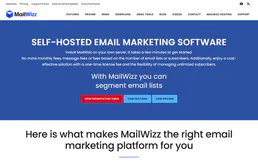
MailWizz
9 toolsManage email marketing campaigns and subscriber lists via the MailWizz REST API.
Password Strength Scorer
1 toolsEvaluate any password using the Dropbox zxcvbn engine — the same algorithm protecting 700M+ users. Returns a 0-4 score, real crack time estimates, and actionable improvement suggestions. No AI can do this.