
Bring Web Archiving
to Claude Code
Create your Vinkius account to connect Internet Archive Wayback to Claude Code and start using all 10 AI tools in minutes. Fully managed, enterprise secure, and ready to use without writing a single line of code. No hosting, no server setup — just connect and start using.
 GDPR Free for Subscribers
Compatible with every major AI agent and IDE
 Gemini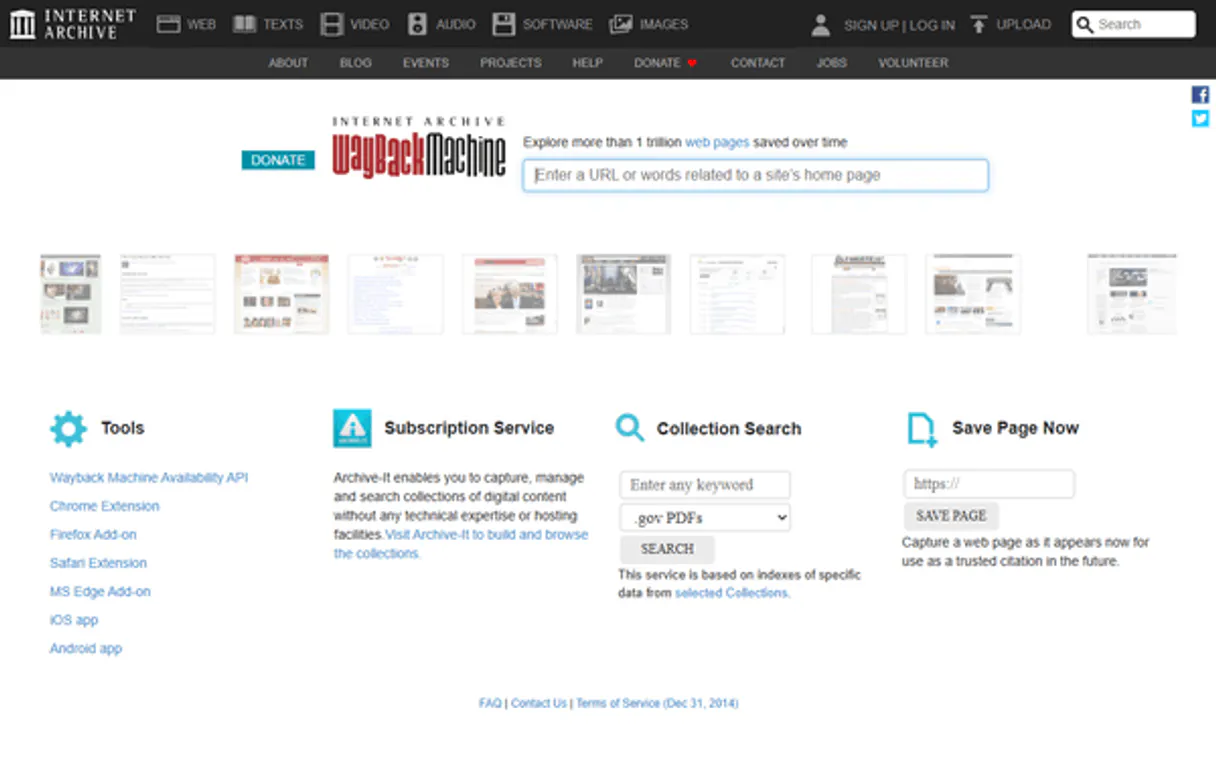
What is the Internet Archive Wayback MCP Server?
Connect the Internet Archive Wayback Machine to any AI agent and access the world's largest web archive — 800B+ archived web pages spanning 25+ years of internet history.
What you can do
- URL Availability Check — Verify if any URL has been archived and find the latest snapshot
- Full CDX Capture History — Get detailed capture history with timestamps, status codes, MIME types, and sizes
- Filter by Year — Find all captures from a specific year for temporal analysis
- Filter by HTTP Status — Find captures that returned specific status codes (200, 404, 301, 500)
- Filter by MIME Type — Find captures of specific resource types (HTML, images, PDFs, CSS)
- First Capture — Find when a URL was first archived
- Latest Capture — Find the most recent archived version of a URL
- Capture Count — Get the total number of times a URL has been archived
- Deduplicated Captures — Get unique captures collapsed by URL key
- Subdomain Discovery — Find all archived subdomains of a domain
How it works
- Subscribe to this server
- No API key needed — completely free and public
- Start exploring web history from Claude, Cursor, or any MCP-compatible client
The Wayback Machine is a non-profit service preserving internet history — no authentication required for access.
Who is this for?
- Journalists & Researchers — find archived versions of websites to verify claims, track content changes, and recover deleted information
- Web Developers — analyze how websites evolved over time, compare design changes, and find historical implementations
- Legal & Compliance — preserve evidence of website content at specific points in time for legal proceedings
- Historians & Academics — study the evolution of the internet, track how organizations presented themselves online over decades
- Cybersecurity — investigate phishing sites, track domain changes, and discover subdomain footprints
Built-in capabilities (10)
Returns the closest (most recent) snapshot timestamp and availability status. Use this to verify if a page is preserved and find its latest archived version. Check if a URL has been archived by the Wayback Machine
Use this to measure how frequently a page has been preserved over time. Get the total number of captures for a URL
Common types: "text/html" (web pages), "image/jpeg" (JPEG images), "application/pdf" (PDFs), "text/css" (stylesheets). Use this to find specific resource types in the archive. Get captures filtered by MIME type
Common codes: "200" (OK), "404" (Not Found), "301" (Redirect), "500" (Server Error). Use this to analyze site availability patterns over time. Get captures filtered by HTTP status code
Use this to analyze archival frequency or find snapshots from a particular year. Year should be 4-digit format (e.g., "2020"). Get captures filtered by a specific year
This shows unique page captures without redundant entries for the same page. Use this for a cleaner view of archived content. Get captures deduplicated by URL key
Each capture includes timestamp, original URL, MIME type, HTTP status code, and file size. Use this for comprehensive archival analysis. Optional limit parameter controls maximum results. Get detailed capture history from the CDX server
Includes the timestamp, status code, and original URL. Use this to find when a page was first preserved. Get the first (earliest) capture of a URL
Includes timestamp, status code, and URL. Use this to find the newest preserved version of a page. Get the most recent capture of a URL
g., *.example.com). Use this to discover the archival footprint of an entire domain, finding all subdomains that have been preserved. Get captures for all subdomains of a domain
Why Claude Code?
Claude Code registers Internet Archive Wayback as an MCP server in a single terminal command. Once connected, Claude Code discovers all 10 tools at runtime and can call them headlessly. ideal for CI/CD pipelines, cron jobs, and automated workflows where Internet Archive Wayback data drives decisions without human intervention.
- —
Single-command setup:
claude mcp addregisters the server instantly. no config files to edit or applications to restart - —
Terminal-native workflow means MCP tools integrate seamlessly into shell scripts, CI/CD pipelines, and automated DevOps tasks
- —
Claude Code runs headlessly, enabling unattended batch processing using Internet Archive Wayback tools in cron jobs or deployment scripts
- —
Built by the same team that created the MCP protocol, ensuring first-class compatibility and the fastest adoption of new protocol features
Internet Archive Wayback in Claude Code
Why run Internet Archive Wayback with Vinkius?
The Internet Archive Wayback connection runs on our fully managed, secure cloud infrastructure. We handle the hosting, maintenance, and security so you don't have to deal with servers or code. All 10 tools are ready to work instantly without any complex setup.
You stay in complete control of your data. Your AI only accesses the information you approve, keeping your sensitive passwords and private details completely safe. Plus, with automatic optimizations, your AI works faster and more efficiently.
* Every connection is hosted and maintained by Vinkius. We handle the security, updates, and infrastructure so you don't have to write code or manage servers. See our infrastructure
Over 4,000 integrations ready for AI agents
Explore a vast library of pre-built integrations, optimized and ready to deploy.
Connect securely in under 30 seconds
Generate tokens to authenticate and link external services in a single step.
Complete visibility into every agent action
Audit live requests, latency, success rates, and active security compliance policies.
Optimize spending and track token ROI
Analyze real-time token consumption and cost metrics detailed by connection.




Explore our live AI Agents Analytics dashboard to see it all working
This dashboard is included when you connect Internet Archive Wayback using Vinkius. You will never be left in the dark about what your AI agents are doing with your tools.
Internet Archive Wayback and 4,000+ other AI tools. No hosting, no code, ready to use.
Professionals who connect Internet Archive Wayback to Claude Code through Vinkius don't need to write code, manage servers, or worry about security. Everything is pre-configured, secure, and runs automatically in the background.
Raw MCP | Vinkius | |
|---|---|---|
| Ready-to-use MCPs | Find and configure each manually | 4,000+ MCPs ready to use |
| Connection Setup | Manual coding & server setup | 1-click instant connection |
| Server Hosting | You host it yourself (needs 24/7 uptime) | 100% hosted & managed by Vinkius |
| Security & Privacy | Stored in plaintext config files | Bank-grade encrypted vault |
| Activity Visibility | Blind execution (no logs or tracking) | Live dashboard with real-time logs |
| Cost Control | Runaway AI token spend risk | Automatic budget limits |
| Revoking Access | Must delete files or code to stop | 1-click disconnect button |
How Vinkius secures
Internet Archive Wayback for Claude Code
Every request between Claude Code and Internet Archive Wayback is protected by our secure gateway. We automatically keep your sensitive data private, prevent unauthorized access, and let you disconnect instantly at any time.
Frequently asked questions
How far back does the Wayback Machine go?
The Wayback Machine has archived web pages since 1996. However, coverage varies significantly — major websites have captures going back 20+ years, while smaller or newer sites may have fewer or no captures. Use get_first_capture to find the earliest archived version of any URL.
Can I find captures that returned 404 errors?
Yes! Use get_captures_by_status with status_code="404". This returns all archived versions where the page returned a Not Found error. This is useful for tracking when pages were removed or URLs changed structure.
Can I discover all subdomains of a website that have been archived?
Yes! Use get_subdomain_captures with the base domain (e.g., "example.com"). This returns captures for all subdomains like www.example.com, blog.example.com, api.example.com, etc. It's useful for mapping the full archival footprint of an organization's web presence.
How do I add an MCP server to Claude Code?
Run claude mcp add <name> --transport http "<url>" in your terminal. Claude Code registers the server and discovers all tools immediately.
Can Claude Code run MCP tools in headless mode?
Yes. Claude Code supports non-interactive execution, making it ideal for scripts, cron jobs, and CI/CD pipelines that need MCP tool access.
How do I list all connected MCP servers?
Run claude mcp in your terminal to see all registered servers and their status, or type /mcp inside an active Claude Code session.
Command not found: claude
Ensure Claude Code is installed globally: npm install -g @anthropic-ai/claude-code
Connection timeout
Check your internet connection and verify the Edge URL is reachable
Explore More MCP Servers
View all →
Tock Reservations
10 toolsEquip your AI agent to manage restaurant reservations, track guest profiles, and monitor business metrics via the Tock API.

BL.INK
10 toolsManage enterprise links via BL.INK — shorten URLs, track analytics, and manage branded domains directly from any AI agent.
ChartMogul
12 toolsUnderstand your subscription metrics with MRR tracking, churn analysis, and cohort reports that reveal growth opportunities.

Sinch
10 toolsEnable your AI agent to send SMS messages, monitor delivery reports, and manage contact groups via the Sinch API.